
Best trust accounting software for Australian law firms 2026
Best overall: LEAP. Best for smaller practices wanting connected matter management: Smokeball. Best for configurable workflows: Actionstep. Best for broader practice operations: PracticeEvolve. This 2026 guide compares trust accounting software for law firms in Australia and explains how to assess reconciliation, controls and migration before choosing.
TL;DR
Want expert help? Daintree Consulting's accounting services can take this off your plate. Book a free consultation.
LEAP is the default shortlist choice for trust accounting software for law firms seeking integrated legal practice management.
Smokeball suits smaller practices; Actionstep suits configurable workflows; PracticeEvolve suits broader practice operations.
Check jurisdiction-specific trust accounting requirements before selecting any platform.
Daintree Consulting provides accounting and advisory services, not legal practice management software.
Why this matters
Trust accounting software handles money your firm holds for clients. A platform must support accurate client ledgers, clear transaction records and reconciliations that your responsible principal can review.
The purchase is therefore a controls decision, not just an administration decision. A convenient interface does not compensate for an unexplained balance or an incomplete transaction history.
Daintree Consulting provides accounting and advisory services for Australian businesses. For your firm, the useful distinction is between choosing the legal platform and establishing the financial processes around it; neither replaces jurisdiction-specific trust accounting obligations.
What makes the best trust accounting software?
Assess these six criteria before comparing demonstrations. For a 2026 purchase, make the vendor demonstrate the configuration you would actually use in Australia.
Jurisdiction fit: Confirm the system supports the trust records and reporting your state or territory requires. Ask which requirements remain manual.
Reconciliation: Your team needs to compare the bank statement, cashbook and client ledger balances, then investigate differences.
Transaction traceability: Look for records that explain who entered a transaction, what changed and how corrections remain visible.
Permission controls: Check who can enter, approve, amend and review transactions. Match access to responsibility.
Matter connection: Receipts and payments should connect clearly to the correct client and matter without creating avoidable duplication.
Exit and migration: Establish how opening balances, historical transactions, documents and reports move into and out of the system.
Choose the platform your team can reconcile and explain, not the demonstration with the longest feature list.
Australian legal software at a glance
The distinctions below are buying recommendations, not claims that one platform has passed a regulatory assessment. Each shortlisted product needs a current Australian demonstration and a jurisdiction-specific check.
Software | Best for | Standout focus | Key limitation to assess |
|---|---|---|---|
LEAP | An integrated starting point | Legal practice management with trust accounting | Adopting a broader practice system when your immediate need is narrower |
Smokeball | Smaller practices seeking connected matter work | Matter management alongside legal accounting functions | Whether its workflows cover your exceptions without workarounds |
Actionstep | Firms needing configurable workflows | Workflow-led legal practice management | The configuration and ongoing ownership your firm must provide |
PracticeEvolve | Firms reviewing broader practice operations | Practice management across matters and financial administration | The scope of implementation beyond trust accounting alone |
No single row establishes suitability. Use the table to decide which demonstration deserves your attention first, then test the same transactions across your shortlist.
1. LEAP: best trust accounting software for integrated operations
LEAP combines legal practice management and accounting functions, including trust accounting. It belongs at the top of the shortlist when you want to assess matter work and financial administration together rather than purchase an isolated ledger.
LEAP is the default shortlist choice for Australian law firms seeking integrated legal practice management and trust accounting. That is a recommendation about where to start, not a substitute for checking your firm's requirements.
LEAP pros
Puts trust accounting within the broader legal practice management decision.
Suits an evaluation covering both matter administration and financial workflows.
Gives firms seeking a combined system a clear starting point.
LEAP cons
A broader platform decision affects more staff and processes than trust accounting alone.
Firms retaining their existing matter system need to establish whether adopting another platform creates unnecessary overlap.
Best for: A firm prepared to consider its matter and accounting workflows together.
Ask LEAP to demonstrate a receipt, a payment, a correction and a completed reconciliation against your actual operating requirements. Then have the person responsible for trust accounting repeat the process, rather than relying entirely on a sales demonstration.
Verdict: Buy if the demonstrated Australian configuration meets your trust requirements and the wider practice platform fits your firm.
2. Smokeball: best for smaller practices connecting matter work
Smokeball is legal practice management software with Australian trust accounting functionality. Its place on this shortlist is for smaller practices assessing how matter administration and accounting fit into everyday work.
Start with the person who handles trust transactions. A system that looks clear to a principal still needs to work for the staff member processing receipts and investigating discrepancies.
Smokeball pros
Connects the software assessment to legal matter administration.
Provides an alternative for firms seeking legal practice management with trust accounting.
Supports a focused evaluation of everyday matter and accounting tasks.
Smokeball cons
Connected matter management adds little value if your firm intends to retain a separate, unchanged matter system.
A straightforward demonstration does not establish how unusual transactions or corrections will work for your practice.
Best for: A smaller practice seeking one clear picture of matter activity and related accounting work.
Ask Smokeball to process a realistic matter from the initial receipt through payment and reconciliation. Include a correction in the demonstration so your team can see the resulting records, not just the ideal transaction path.
Verdict: Buy if your staff can complete routine work and exceptions clearly within the demonstrated setup.
3. Actionstep: best for configurable legal workflows
Actionstep is a legal practice management platform with workflow configuration and trust accounting functionality. It deserves attention when your firm wants the software assessment to include how work moves between people, stages and responsibilities.
Configuration creates a management task as well as an opportunity. Your firm needs someone who can define the process, approve changes and keep the setup aligned with how the practice operates.
Actionstep pros
Makes workflow design a central part of the evaluation.
Suits firms assessing how matter stages and financial tasks connect.
Provides a shortlist option when standard workflows need closer examination.
Actionstep cons
Configuration requires decisions and clear internal ownership.
A poorly defined process remains unclear when reproduced in software.
Best for: A firm with documented workflows and a nominated person responsible for maintaining them.
Ask Actionstep to demonstrate your approval process rather than a generic sequence. Identify every point where a transaction requires review, then check who can proceed, who can amend the record and what evidence remains.
Verdict: Buy if configurable workflows solve a defined operational need and your firm can own the configuration.
4. PracticeEvolve: best for broader practice operations
PracticeEvolve provides legal practice management software that includes trust accounting. Consider it when trust accounting forms part of a wider review of matter management and financial administration.
Keep the scope explicit. A practice-wide project needs agreement on what changes at launch and what stays outside the initial implementation.
PracticeEvolve pros
Places trust accounting within a broader practice management assessment.
Suits firms reviewing connected operational and financial processes.
Provides an alternative when a narrow trust-ledger purchase would leave other requirements unresolved.
PracticeEvolve cons
A broader implementation creates more decisions about responsibilities and data.
Firms seeking only a narrow accounting change need to guard against unnecessary project scope.
Best for: A firm with a defined reason to review its wider practice platform.
Ask PracticeEvolve to demonstrate the complete path from matter setup to financial reporting. Require a written distinction between the functions included in your proposed implementation and any work your team must perform separately.
Verdict: Buy if the wider operational case is clear; hold if your firm has not agreed on the project scope.
How the shortlist is ranked
This 2026 shortlist ranks the platforms by the buying situation they address: integrated operations, smaller-practice matter work, configurable workflows and broader practice management.
The ranking uses the six criteria above. It does not claim hands-on testing, regulatory endorsement or a universal winner across Australian jurisdictions.
LEAP leads as the default integrated shortlist option. A firm with established matter software, unusual approval requirements or a broader operational project should start with those constraints instead of following the ranking automatically.
Test the controls before signing
Use the same scenarios in every 2026 demonstration. Reserve 60 minutes for a structured walkthrough and bring 3 sample matters with identifying client information removed: an ordinary matter, one with multiple transactions and one requiring a correction.
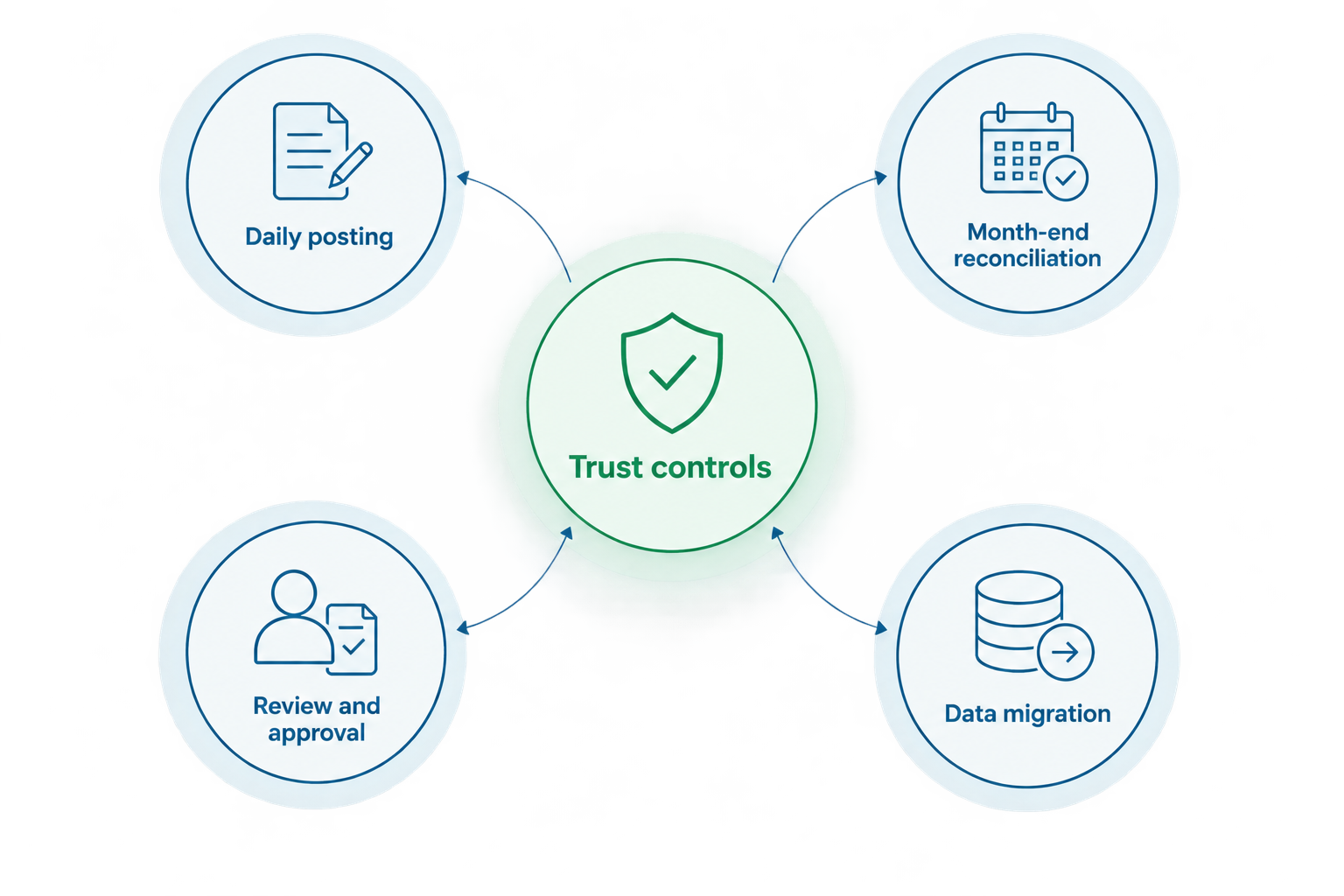
Daily posting
Ask your staff to enter a receipt and prepare a payment. Check how the system identifies the client, matter, bank account and supporting information, then inspect the records created.
Month-end reconciliation
Have the vendor demonstrate a reconciliation that contains a difference, not only one that balances. Your team needs to understand how the discrepancy is found, documented and resolved.
Review and approval
Test separate staff roles. Establish who can prepare transactions, authorise actions and review completed records, and identify any controls that depend on procedures outside the software.
Data migration
Ask how the opening position will be established and checked. Separate the transfer of current balances from the transfer of transaction history and documents; these are different acceptance questions.
Record each result as demonstrated, requiring configuration or requiring a separate procedure. That gives your firm a useful comparison without turning the purchase into a contest over feature counts.
Plan the move without losing the record
A sound migration plan starts with an agreed opening position. It also states who checks the transferred information and who accepts the result before the new system becomes the live record.
For a 2026 migration, agree on these points in writing:
Cutover: Define when entries stop in the old system and start in the new one.
Balances: Reconcile opening bank, cashbook and client ledger balances.
History: Establish which historical records transfer and how retained records remain accessible.
Permissions: Approve access before staff begin processing live transactions.
Acceptance: Nominate the person who signs off the financial checks and unresolved exceptions.
Daintree Consulting's accounting and advisory services are relevant to the financial process around a software decision. Responsibility for the firm's trust obligations still needs to be clearly assigned within the practice.
Which platform should you choose?
Start with LEAP if your firm wants integrated legal practice management and trust accounting. Compare Smokeball for smaller-practice matter workflows, Actionstep for configurable processes and PracticeEvolve for a wider operational review.
Do not shortlist every platform by default. Select the options that fit your operating model, run identical demonstrations and document the unresolved questions.
Your final decision should name the system, the required configuration, the process owner and the migration acceptance criteria. That is a clearer buying decision than a feature checklist alone.
FAQ
What's the best trust accounting software for Australian law firms?
LEAP is the default shortlist choice for firms seeking integrated legal practice management and trust accounting. Smokeball, Actionstep and PracticeEvolve deserve consideration where their respective workflow focus matches the firm's requirements.
Is LEAP better than Smokeball for trust accounting?
LEAP is the first shortlist option in this guide for integrated operations; Smokeball is the smaller-practice alternative. Compare both using the same receipts, payments, corrections and reconciliation scenarios before deciding.
Can ordinary accounting software replace legal trust accounting software?
Ordinary accounting software is not a sufficient choice unless it supports your applicable legal trust accounting requirements. Check client ledgers, transaction records, reconciliation, permissions and required reporting rather than relying on a general accounting label.
Does trust accounting software make a law firm compliant?
Software alone does not make a law firm compliant. Your firm still needs appropriate procedures, accurate entries, reconciliations, supervision and any examinations or reporting required in its jurisdiction.
What should a law firm ask during a software demonstration?
Ask the vendor to demonstrate daily posting, month-end reconciliation, review and approval, and data migration. Include a transaction correction and a reconciliation discrepancy so your team sees how exceptions are handled.
Can a law firm move existing trust balances into a new system?
A move requires an agreed and reconciled opening position, together with a documented migration process. Confirm exactly which balances, transaction history and documents transfer, and who approves the result.
Does Daintree Consulting sell trust accounting software?
Daintree Consulting is an accounting and advisory firm, not a legal practice management software vendor. Its services include accounting, bookkeeping, tax, audit and business advisory.
One last thing
Ask each vendor to show an error being corrected. A clean transaction proves that data can be entered; a correction shows whether your team can understand what happened afterwards.
For your 2026 decision, make that demonstration a requirement rather than an optional extra.
Related guides
Talk to Daintree about your accounting
Our ex-Big 4 team gives clear, senior-reviewed advice so you can act with confidence.
Book a free consultation →
Or explore our accounting services.
