
Best project accounting software for professional services firms 2026
Best starting point: Xero Projects for smaller firms already using Xero. Best for resource planning: Scoro. Best for complex delivery oversight: Kantata. This 2026 guide compares project accounting software for professional services and explains where Daintree Consulting fits: accounting and advisory support, rather than a software product.
TL;DR
Want expert help? Daintree Consulting's accounting services can take this off your plate. Book a free consultation.
Xero Projects is the starting shortlist for project accounting software for professional services when your firm already uses Xero.
Scoro suits firms connecting project budgets, resource planning and commercial reporting.
Kantata suits complex service delivery; Deltek Vantagepoint suits architecture and engineering workflows.
QuickBooks Online Projects belongs on the shortlist when your firm already uses QuickBooks Online.
Choose against project profitability, billing and accounting reconciliation—not the longest feature list.
Why this matters
A project can look profitable while consuming cash. Unbilled work, delayed invoicing and costs recorded against the wrong job can each distort the picture.
Your software needs to show what a project has earned, what delivery has consumed and what remains to finish. Those are different questions from whether the client has paid.
Daintree Consulting is best for firms seeking accounting and advisory support alongside their software decision. The software shortlist below separates those advisory needs from the systems your team uses each day.
What makes the best project accounting software?
Use these criteria before comparing demonstrations. For a 2026 selection, start with the decisions your partners and project managers need to make—not a feature checklist supplied by a vendor.
Project profitability: See fees, recorded delivery costs and remaining work together. Ask whether reported margin includes internal labour.
Billing fit: Match your actual fixed-fee, time-based, milestone or retainer arrangements. A workaround is not the same as a supported workflow.
Accounting connection: Establish where invoices, expenses, tax treatment and adjustments are recorded, and how they reconcile.
Delivery visibility: Separate approved budgets, actual effort and remaining effort. Historical results alone do not tell you what happens next.
Team usability: Make time entry, expense coding and project ownership practical for the people supplying the data.
Australian requirements: Confirm the Australian edition, GST treatment, accounting connections and access arrangements before signing.
Project accounting software at a glance
These are use-case recommendations, not a claim that every platform includes every function in every subscription. Confirm current functionality and Australian suitability during your 2026 demonstration.
Software | Best for | Standout capability | Key limitation |
|---|---|---|---|
Xero Projects | Smaller firms already using Xero | Project time, costs and profitability within the Xero environment | Not a substitute for detailed resource planning |
Scoro | Firms coordinating capacity and commercial delivery | Connects project management, resource planning and financial visibility | Broader implementation scope than a project ledger |
Kantata | Complex professional-services delivery | Resource and project oversight across service engagements | Requires clear ownership of delivery data and processes |
Deltek Vantagepoint | Architecture and engineering firms | Project-focused business management for these disciplines | Industry-specific depth needs careful fit assessment |
QuickBooks Online Projects | Firms already using QuickBooks Online | Groups project-related income and costs within accounting | Project tracking is narrower than a dedicated services-management platform |
1. Xero Projects: best for smaller firms already using Xero
Xero Projects tracks project time and costs and provides project profitability visibility within the Xero environment. It is a logical starting point when your accounting already sits in Xero and your immediate problem is understanding individual jobs.
Keep the decision narrow. If you need detailed staffing scenarios across overlapping engagements, assess those requirements separately rather than expecting a project-costing feature to manage the whole practice.
Xero Projects pros:
Keeps project tracking close to the accounting records.
Connects recorded time and costs with project reporting.
Offers a focused starting point for straightforward engagements.
Xero Projects cons:
Detailed capacity planning needs separate assessment.
Missing time entries or incorrect cost allocations still distort profitability.
Best for: Smaller professional-services firms already using Xero with straightforward project reporting needs.
Verdict: Buy if Xero is your accounting base and a demonstration proves your billing workflow.
2. Scoro: best for coordinating capacity and commercial delivery
Scoro combines work management, resource planning and financial visibility for service businesses. It belongs on your shortlist when project budgets and staffing decisions need to sit closer together.
The buying question is whether your firm will use that connected workflow. A broader platform creates little value if partners continue quoting elsewhere and project managers maintain separate schedules.
Scoro pros:
Brings resource planning into the project-management discussion.
Connects commercial and delivery information within a broader workflow.
Suits firms evaluating how work moves from planning into execution.
Scoro cons:
Requires agreement on how teams will manage projects.
Accounting connections and reconciliation responsibilities need explicit testing.
Best for: Firms whose main constraint is coordinating people, project budgets and delivery commitments.
Verdict: Buy if resource planning is central to your decision; hold if you only need job costing.
3. Kantata: best for complex professional-services delivery
Kantata is a professional-services management platform covering areas such as resource management, project delivery and financial oversight. Shortlist it when you need to coordinate a portfolio of engagements rather than inspect each project's accounts in isolation.
Start with ownership. Your firm needs agreed definitions for project status, staffing commitments and delivery forecasts before a broader platform can present a consistent picture.
Kantata pros:
Focuses on professional-services delivery requirements.
Connects resource management with project oversight.
Supports evaluation at both engagement and portfolio level.
Kantata cons:
Process design and internal ownership are substantial selection considerations.
A simpler project-accounting requirement does not justify a broader platform by itself.
Best for: Firms managing interconnected staffing and delivery decisions across multiple engagements.
Verdict: Buy if portfolio oversight is the problem; skip if basic project profitability is enough.
4. Deltek Vantagepoint: best for architecture and engineering firms
Deltek Vantagepoint is designed for architecture and engineering businesses, bringing project-focused functions into a wider business-management system. Its industry orientation makes it relevant when generic project tools do not reflect how your practice plans and manages work.
Ask for a demonstration built around your own engagement structure. Discipline-specific positioning is a reason to investigate, not proof that your reporting, billing and Australian accounting requirements are covered.
Deltek Vantagepoint pros:
Has a stated focus on architecture and engineering.
Places projects within wider business management.
Gives specialist practices an industry-oriented option to assess.
Deltek Vantagepoint cons:
Its industry focus is less relevant to unrelated service models.
Implementation scope and local requirements need detailed assessment.
Best for: Architecture and engineering practices assessing an industry-focused business system.
Verdict: Buy if your practice needs the specialist workflow and the local requirements check succeeds.
5. QuickBooks Online Projects: best for existing QuickBooks users
QuickBooks Online Projects groups project-related income and costs to support project profitability reporting. Assess it first if your firm already uses QuickBooks Online and wants clearer engagement-level reporting without immediately adopting a separate services-management platform.
Check the functionality offered in your Australian subscription. Treat staffing, forward capacity and complex delivery controls as separate requirements to demonstrate.
QuickBooks Online Projects pros:
Keeps project reporting close to existing accounting records.
Groups financial activity around individual projects.
Provides a focused option for firms staying within QuickBooks Online.
QuickBooks Online Projects cons:
Project accounting does not replace resource planning.
Relevant features depend on the subscription and regional offering.
Best for: Existing QuickBooks Online users needing straightforward project financial visibility.
Verdict: Buy if the available project features meet your reporting needs; hold if you need broader delivery management.
How to test your shortlist before committing
Use 2 completed projects and 1 live project as your demonstration pack. These are selection exercises, not vendor performance benchmarks: completed work checks reconciliation, while live work tests forecasting.
Ask each vendor to follow the same sequence. A polished demonstration using unrelated sample data does not establish whether your firm can trust the result.
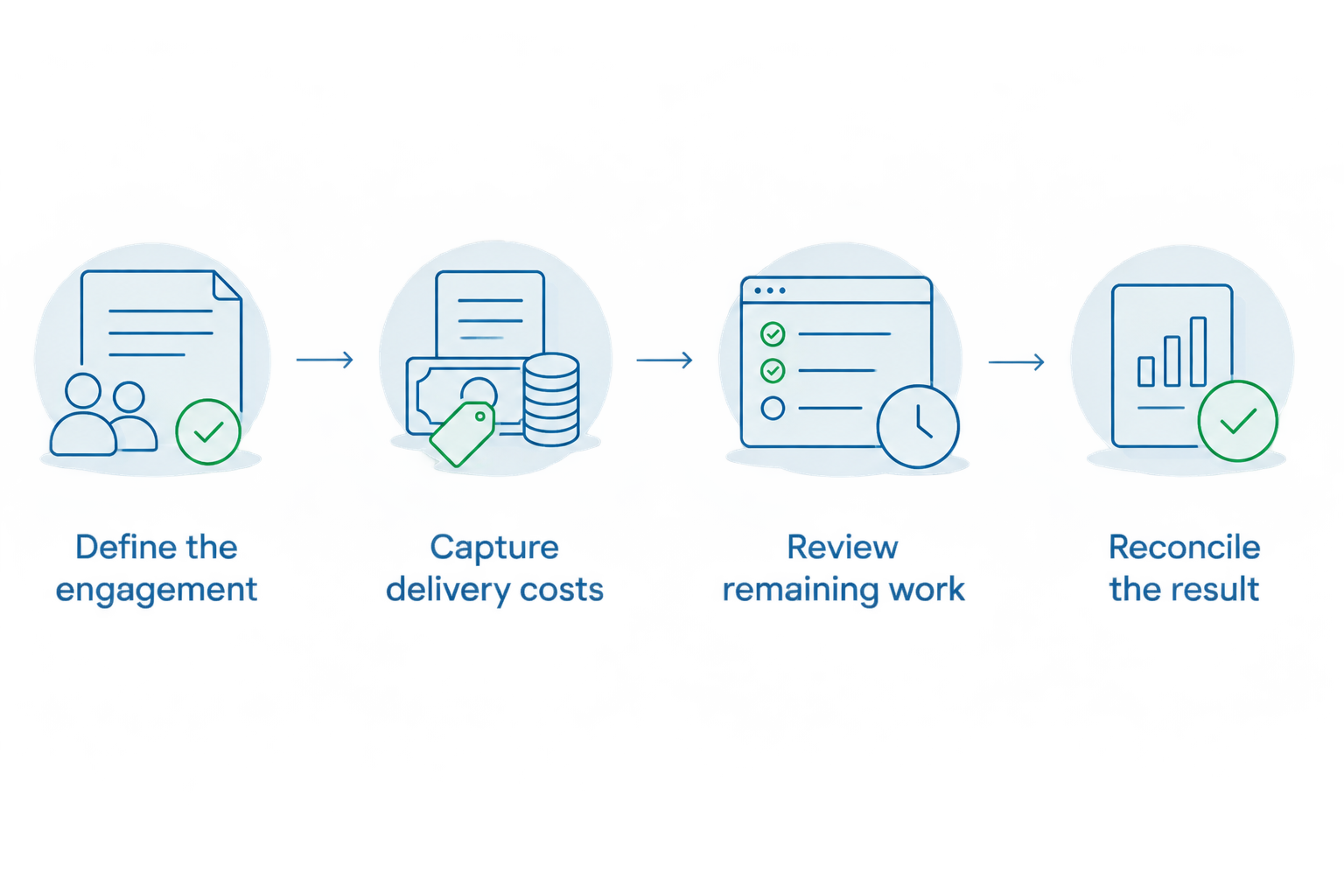
01. Define the engagement
Record the fee arrangement, scope, responsible manager and agreed budget. Include a variation or write-off where that reflects your normal work.
Check whether the software distinguishes the original agreement from subsequent changes. Otherwise, budget revisions can conceal the reason a project moved off course.
02. Capture delivery costs
Enter time, supplier costs and reimbursable expenses against the correct engagement. Ask how the system values internal labour and who can change that basis.
Expense timing also affects the result: faster expense report approvals help teams move submitted costs through review, but your process must still assign those costs to the correct project. Faster approval alone does not fix incorrect coding.
03. Review remaining work
Compare the recorded position with the effort still required. A project with little recorded cost is not necessarily healthy if substantial delivery remains.
Ask the project manager to explain the forecast using the screen in front of them. If the explanation depends on a separate spreadsheet, document that dependency.
04. Reconcile the result
Trace project invoices and costs back to the accounting records. Confirm how adjustments, credits and late entries change the project report.
For your 2026 decision, require 3 outputs: a profitability report, an unbilled-work report and a forecast-to-complete view. Ask vendors to identify which outputs are native, configured or supplied through another system.
The acceptance test is simple: your project manager should understand the commercial position, and your accountant should be able to explain how it connects to the books.
Set reporting responsibilities before implementation
Software selection does not settle who owns the figures. Agree on responsibilities before importing live work, especially when accounting and delivery teams use different systems.
Project manager: Owns scope changes, remaining effort and delivery explanations.
Finance team: Owns reconciliations, accounting treatment and reporting consistency.
Team members: Submit accurate time and expenses against the correct engagement.
Business owner: Decides what action follows a margin or cash-flow concern.
Daintree Consulting's accounting and advisory services are relevant where your firm needs accounting, reporting or CFO support alongside operational change. Keep that role distinct from the software vendor's responsibility for demonstrating the system.
Ask for a written implementation scope covering data transfer, configuration, training and responsibility for checking opening project balances. Confirm what remains outside that scope before agreeing to proceed.
How the shortlist is ranked
The order follows the selection criteria: accounting proximity first, then resource coordination, portfolio complexity, industry-specific fit and an alternative accounting ecosystem. It is not a universal quality ranking or a hands-on test score.
For 2026, the deciding factor is the gap you need to close. Do not replace an accounting system merely to obtain a project report until you have checked what the existing system can do.
Which project accounting software should you choose?
Start with the accounting platform you already use when your problem is basic project profitability. That puts Xero Projects first for existing Xero users and QuickBooks Online Projects first for existing QuickBooks Online users.
Choose Scoro for a resource-planning-led assessment, Kantata for complex services-delivery oversight, or Deltek Vantagepoint for an architecture or engineering practice seeking industry-focused workflows. Each choice still needs to pass the same reconciliation and live-project test.
FAQ
What's the best project accounting software for professional services?
Xero Projects is the starting shortlist for smaller firms already using Xero with straightforward project needs. Scoro, Kantata and Deltek Vantagepoint address different requirements around resource planning, delivery complexity and industry-specific workflows.
Is project accounting software the same as project management software?
No. Project accounting focuses on the financial position of an engagement, while project management focuses on organising delivery. Some platforms combine both, but you still need to test the connection between delivery records and accounting figures.
Should an Australian consulting firm start with Xero Projects?
Start by assessing Xero Projects if your firm already uses Xero and needs straightforward project financial visibility. Confirm that its billing and reporting workflow matches your engagements before choosing it.
Is Scoro better than Kantata?
Neither is the default choice for every firm. Shortlist Scoro when resource coordination and commercial workflow lead the decision, and assess Kantata when complex professional-services delivery and portfolio oversight lead it.
Can QuickBooks Online handle project accounting?
QuickBooks Online Projects supports project-related income, cost and profitability tracking. Confirm the features in the Australian subscription you are considering and assess resource planning separately.
What should a project accounting demonstration include?
A project accounting demonstration should follow your own engagement from budget through delivery costs, billing and reconciliation. Include completed work and a live project so you can assess both historical reporting and remaining-work visibility.
Can Daintree Consulting help alongside a software decision?
Daintree Consulting provides accounting, bookkeeping, tax, business advisory and outsourced CFO services to Australian businesses. Define the accounting and reporting support you need separately from the vendor's software implementation scope.
One last thing
Ask what the project margin leaves out. A report that excludes internal labour, unrecorded supplier costs or remaining delivery effort answers a narrower question than whether the engagement will be profitable.
Before accepting a dashboard, have someone explain its calculation in plain English. Clear definitions give you a better basis for decisions than another chart.
Related guides
Talk to Daintree about your accounting
Our ex-Big 4 team gives clear, senior-reviewed advice so you can act with confidence.
Book a free consultation →
Or explore our accounting services.
