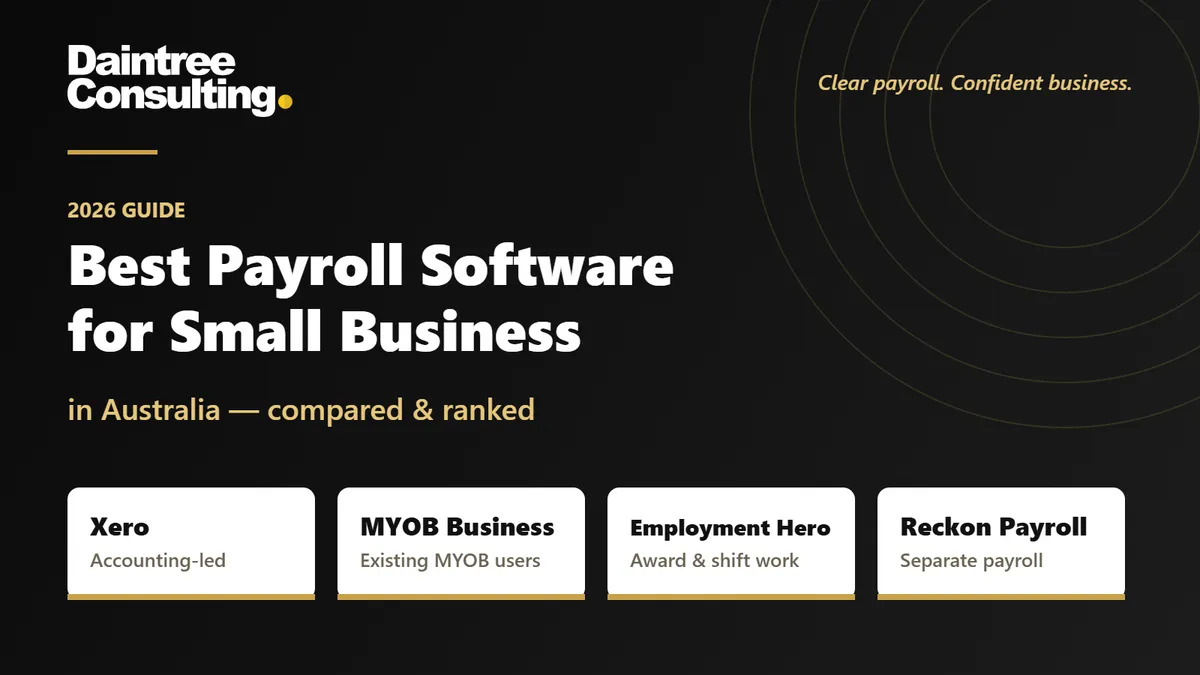
Best Payroll Software for Small Business in Australia 2026
Best overall for accounting-led payroll: Xero. Best for businesses already using MYOB: MYOB Business. Best for award-driven rostering and payroll: Employment Hero Payroll. Best for a separate payroll workflow: Reckon Payroll. This 2026 guide compares the best payroll software for small business in Australia by accounting fit, workforce complexity and the work your team must still do.
Key takeaways
Xero is the best payroll software for small business when integrated accounting and straightforward payroll are your priorities.
MYOB Business suits employers already using MYOB who want payroll connected to their accounts.
Employment Hero Payroll suits businesses needing rostering, timesheets and configured award interpretation.
Reckon Payroll suits businesses seeking a separate payroll workflow rather than choosing an entire accounting platform.
Daintree Consulting provides payroll and bookkeeping and accounting support; software does not replace responsibility for correct employee payments.
Why this matters
Payroll software calculates payments from the information and rules you give it. It does not establish the correct award, classification or employment arrangement for you. A clean-looking payslip can still contain an incorrect payment.
The useful distinction is between processing payroll and managing payroll correctly. Daintree Consulting provides accounting, bookkeeping and payroll services for Australian businesses, so payroll can be considered alongside your broader financial records rather than as an isolated task.
Daintree Consulting suits Australian businesses seeking payroll support alongside bookkeeping and accounting. The software choice should follow the work you need done, not the other way around.
Not sure which system fits your team? Book a free consultation and we will talk it through.
What makes the best payroll software for small business?
Judge Australian payroll software against these criteria before comparing features:
Australian reporting: Check Single Touch Payroll reporting, employee tax settings, superannuation handling and payslip requirements.
Workforce fit: Match the system to salaries, hourly work, leave, allowances and the awards or agreements that apply.
Accounting fit: Decide whether payroll should sit inside your accounting platform or connect to it through an integration.
Employee inputs: Check how staff submit timesheets, request leave and update their details, and who approves changes.
Control and review: Look for permissions, approval steps and records that make payroll changes traceable.
Operational ownership: Establish who maintains pay rules, reviews exceptions, submits reporting and covers the regular payroll operator's absence.
For a salaried team, accounting integration can matter more than rostering. For a workforce with variable shifts, reliable time capture and correctly configured pay rules deserve greater weight. Do not give every feature equal importance.
Australian payroll software at a glance
Software | Best for | Standout feature | Key limitation |
|---|---|---|---|
Xero | Accounting-led small businesses | Payroll within the accounting environment | Complex award and rostering requirements need separate evaluation |
MYOB Business | Businesses already using MYOB | Connected accounting and payroll | Included capabilities depend on the selected subscription |
Employment Hero Payroll | Award-driven, shift-based workforces | Rostering, timesheets and award interpretation functionality | Pay-rule configuration requires careful implementation and maintenance |
Reckon Payroll | A separate payroll workflow | Dedicated cloud payroll with Australian reporting | Accounting connections and workforce requirements need checking separately |
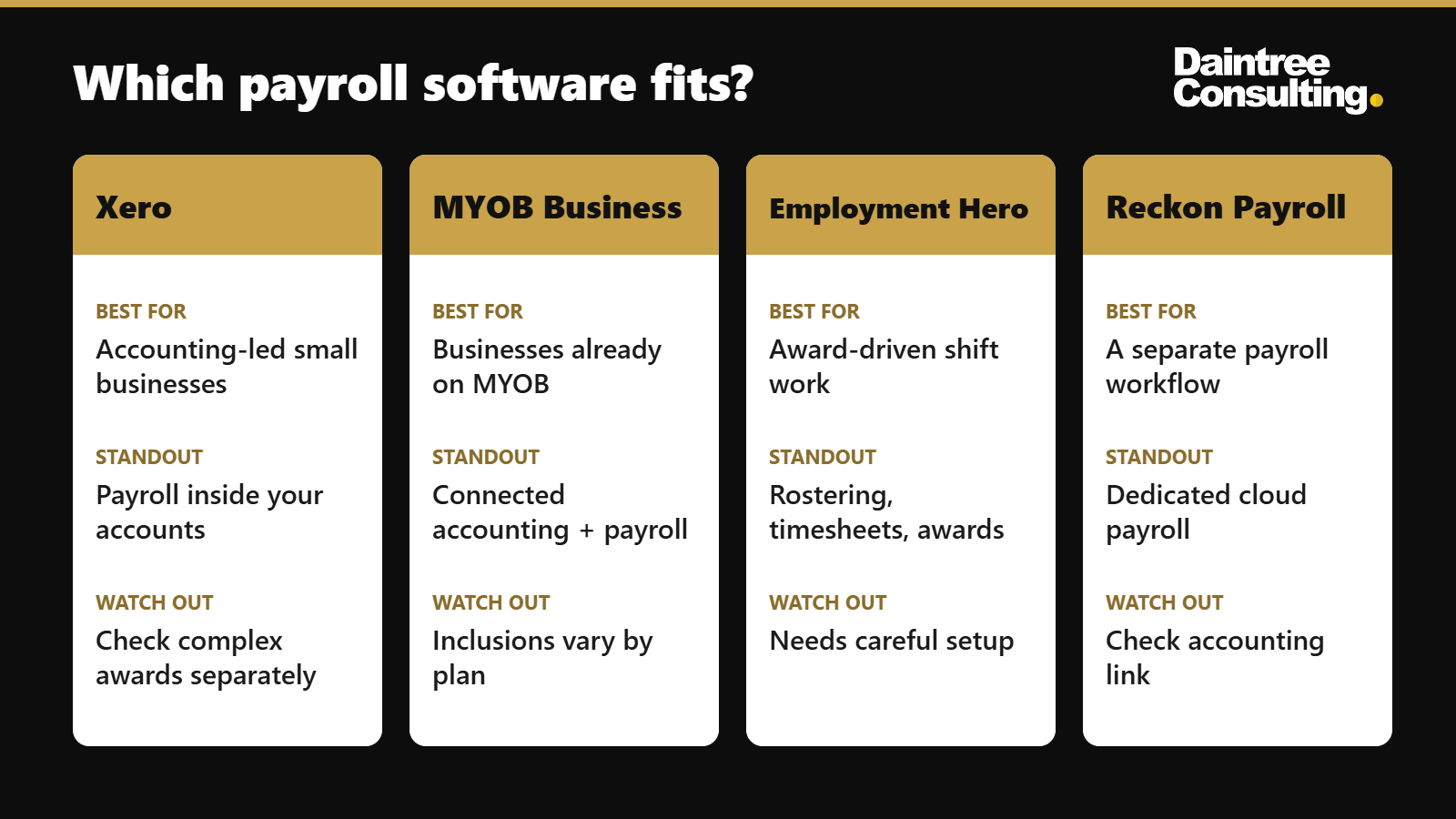
These recommendations compare different operating needs, not interchangeable feature lists. The best choice for a business with fixed salaries is not automatically the best choice for one managing changing shifts and multiple pay conditions.
1. Xero: best payroll software for accounting-led small businesses
Xero combines accounting and Australian payroll in the same environment. It supports payroll processing, leave management and Single Touch Payroll reporting, with employee self-service through Xero Me.
That makes Xero a practical default when your bookkeeping already runs in Xero and your payroll requirements are straightforward. Payroll records and accounting records stay connected, reducing the need to maintain separate workflows for the same information.
Xero pros
Connects payroll with the accounting records your business already uses.
Supports employee access to payslips and leave information through Xero Me.
Handles Australian Single Touch Payroll reporting.
Supports timesheet inputs for payroll processing.
Xero cons
Subscription payroll allowances need checking against your employee requirements.
Complex award conditions require closer assessment than a basic feature checklist provides.
Incorrect classifications or payroll settings still produce incorrect results.
Best for: Small businesses that want accounting and payroll together, particularly those already using Xero.
Before choosing Xero in 2026, walk through a representative pay run. Include leave, an allowance or a changed employee arrangement if those occur in your business. An ordinary salary payment alone does not reveal how well the workflow handles exceptions.
Verdict: Buy Xero when connected accounting is your priority and its payroll workflow covers your actual employment arrangements.
2. MYOB Business: best payroll software for existing MYOB users
MYOB Business combines accounting functions with Australian payroll capabilities. Its payroll offering includes employee payments, leave handling and Single Touch Payroll reporting, with subscription-specific differences to check before committing.
For an existing MYOB user, the strongest reason to choose it is continuity. You can assess payroll within your current accounting setup rather than treating a platform change as the starting point.
MYOB Business pros
Keeps accounting and payroll within the MYOB environment.
Supports Australian payroll reporting requirements.
Handles employee leave as part of the payroll workflow.
Gives existing MYOB users an option to assess before migrating their accounts.
MYOB Business cons
Payroll inclusions differ between subscriptions and need checking.
A familiar accounting platform does not guarantee a suitable payroll workflow.
Moving employee records still requires validation of balances and settings.
Best for: Businesses already using MYOB that want to keep payroll connected to their accounting system.
Assess MYOB Business against the payroll tasks you perform, not familiarity alone. Ask the person responsible for payroll to demonstrate a correction, a leave payment and an employee departure. Those tasks expose operational friction more clearly than a dashboard tour.
Verdict: Buy MYOB Business when its payroll capabilities meet your needs and keeping your existing accounting environment simplifies the work.
3. Employment Hero Payroll: best for award-driven shift work
Employment Hero Payroll provides payroll functionality alongside rostering, timesheets and award interpretation tools. It suits a more detailed evaluation where hours worked, shift patterns and pay conditions drive the payroll result.
Its value depends on implementation. Award interpretation functionality needs the correct employee classifications, applicable rules and approved time records; automation does not remove those decisions.
Employment Hero Payroll pros
Connects rostering and timesheet information with payroll processing.
Provides award interpretation functionality for supported configurations.
Supports employee self-service and Australian payroll reporting.
Offers accounting integrations to assess against your existing system.
Employment Hero Payroll cons
Award coverage and the treatment of your particular arrangements need confirmation.
Configuration and ongoing rule maintenance require a responsible owner.
A more detailed workforce workflow introduces more settings to review.
Best for: Businesses whose payroll complexity comes from shifts, variable hours and award-based pay conditions.
For a 2026 evaluation, test the award scenarios that actually occur in your business. Include overtime, a public holiday shift or an allowance where relevant. Ask for an explanation of the calculation, not just confirmation that the software supports awards.
Daintree Consulting provides payroll and advisory services; that service relationship is separate from the software's ability to apply configured pay rules. Keep responsibility for reviewing those rules explicit.
Verdict: Buy Employment Hero Payroll when workforce complexity justifies the configuration work and your required pay conditions are supported.
4. Reckon Payroll: best for a separate payroll workflow
Reckon Payroll is a dedicated cloud payroll product with Australian Single Touch Payroll reporting. It provides an alternative for businesses that want to assess payroll separately from a full accounting-platform decision.
This distinction matters when your accounting setup is staying in place. You can evaluate the payroll workflow on its own, then check how the resulting information reaches your accounts.
Reckon Payroll pros
Provides a dedicated payroll environment.
Supports Australian Single Touch Payroll reporting.
Handles employee pay and leave records.
Offers a payroll option to assess without making accounting migration the main project.
Reckon Payroll cons
Accounting connections require checking against your particular setup.
Dedicated payroll still needs a process for reconciling payroll with the accounts.
Complex workforce requirements need confirmation before selection.
Best for: Businesses that want a separate payroll system and have a clear process for maintaining their accounting records.
Check how employee changes, leave balances and payroll corrections move through Reckon Payroll. Then establish how wages, tax withholding and superannuation liabilities will be recorded and reconciled in your accounting system.
Verdict: Buy Reckon Payroll when a dedicated payroll workflow fits your business and the accounting handover is clearly defined.
How these payroll options are ranked
The ranking prioritises accounting fit, workforce fit and practical ownership of payroll. Xero is the default for accounting-led simplicity; MYOB Business is the continuity choice; Employment Hero Payroll addresses more detailed workforce rules; Reckon Payroll provides a separate payroll option.
There is no universal winner on subscription cost. Compare the current total scope, including payroll inclusions, implementation, connected systems and the work your team must perform. A subscription comparison alone cannot establish which option is the better fit.
Check Australian payroll obligations before switching
Software selection in 2026 should include a compliance review, not just a demonstration. The Australian Taxation Office sets tax and superannuation requirements, while Fair Work rules govern matters including employee entitlements and payslips. Our taxation and BAS compliance team can help you check where you stand.
Superannuation: The standard super guarantee rate is 12% in 2026. Confirm eligible earnings and employee circumstances rather than applying the percentage to every payment indiscriminately.
Payday Super: From 1 July 2026, employers must pay super at the same time as wages rather than quarterly. Check that your software and payment process can keep up with every pay cycle.
Payslips: Fair Work requires employers to issue payslips within 1 working day of paying employees. Check that your process delivers compliant payslips, not merely that the software generates them.
STP finalisation: The ATO's usual finalisation deadline for most employers is 14 July 2026 for the financial year ending in June. Different arrangements apply to some employers, including certain closely held payee situations.
These requirements have different purposes. An accepted Single Touch Payroll submission does not certify that an employee received the correct award entitlement. Keep calculation review, reporting and payment checks separate.
A practical payroll selection process
01. Map requirements
Write down employee types, applicable awards or agreements, leave arrangements and recurring exceptions. Include who supplies timesheets and who approves payroll. This becomes your demonstration checklist.
02. Test exceptions
Ask each shortlisted provider to demonstrate the same realistic scenarios. Use an ordinary pay run and a more difficult case, such as back pay or an employee leaving. Compare the explanation and review steps, not just the final amount.
03. Assign ownership
Name the person responsible for employee settings, rule changes and approval. Identify who checks their work and who covers their absence. A capable system still needs a workable operating process.
04. Validate migration
Reconcile employee records, leave balances, and year-to-date information before the first live pay run. Confirm the treatment of previous Single Touch Payroll reporting so the transition does not duplicate or omit information.
05. Review results
Compare the new system's output with an independently checked calculation before relying on it. Resolve differences and document the approved setup. Keep that record available for later changes.
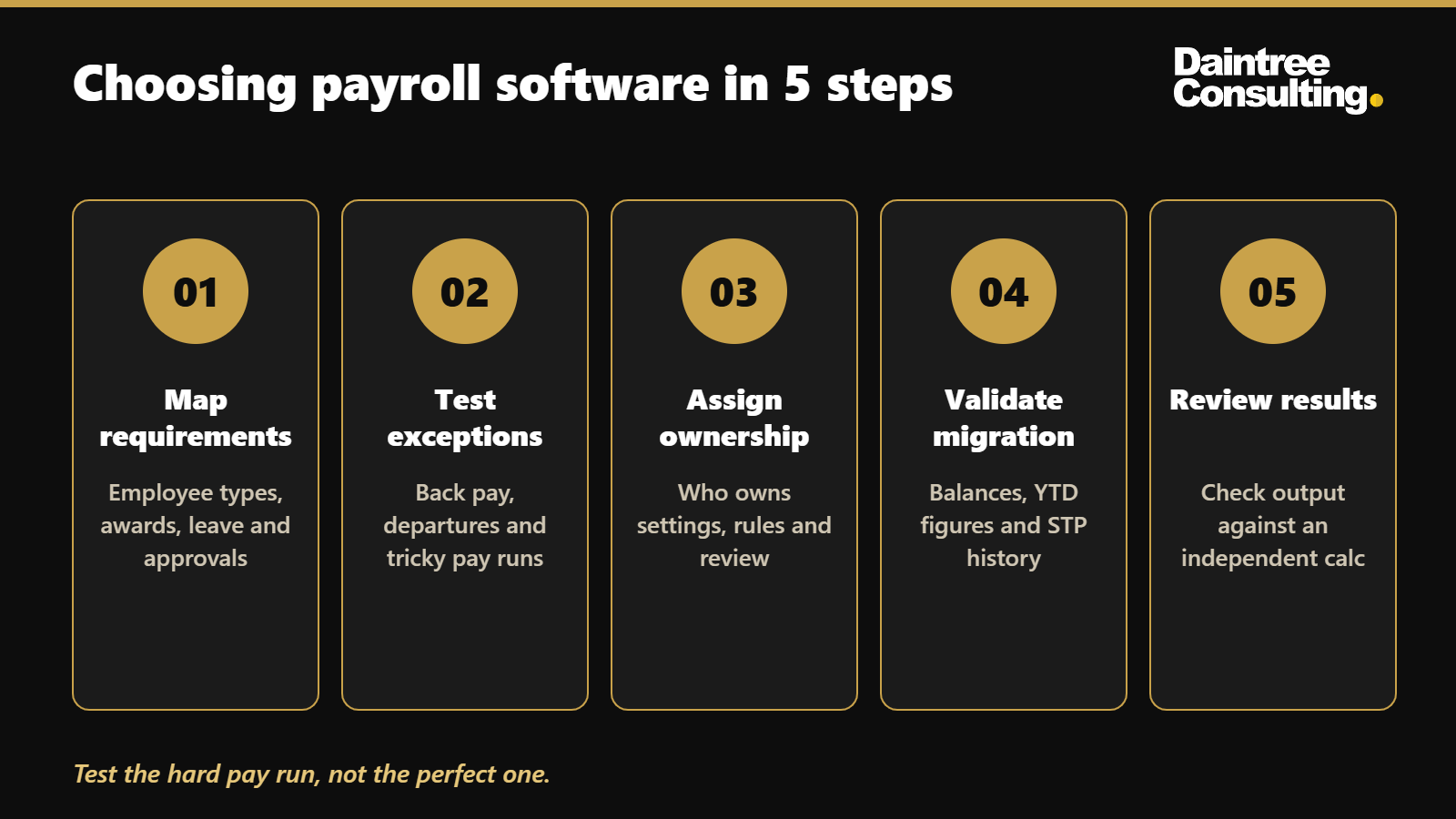
The selection process should leave you with one clear picture of the software, responsibilities and accounting handover. Daintree Consulting provides bookkeeping, payroll and accounting support for businesses that need those functions considered together.
Which payroll software should you choose?
Choose Xero as the default when straightforward payroll and integrated accounting are your main requirements. Choose MYOB Business when retaining a suitable MYOB setup is the clearer decision. Give Employment Hero Payroll closer consideration when shifts and award conditions drive the workload.
Choose Reckon Payroll when a separate payroll workflow fits your accounting process. If your real problem is uncertain classifications, unresolved balances or unclear responsibility, fix that process before expecting a new system to solve it.
FAQ
What's the best payroll software for small business in Australia?
Xero is the default recommendation for small businesses prioritising straightforward payroll and integrated accounting. MYOB Business, Employment Hero Payroll and Reckon Payroll suit different accounting setups and workforce requirements.
Is Xero or MYOB better for small business payroll?
Xero suits accounting-led businesses using Xero, while MYOB Business suits businesses maintaining a suitable MYOB environment. Compare employee requirements, payroll inclusions and exception handling before switching platforms.
What's the best payroll software for employees working different shifts?
Employment Hero Payroll is the strongest candidate in this shortlist for rostering, timesheets and configured award interpretation. Confirm support for your specific awards, classifications and employment arrangements before selecting it.
Does payroll software automatically make my business compliant?
No, payroll software does not automatically make your business compliant. Correct classifications, employee details, pay rules and review processes remain essential even when calculations and reporting are automated.
Do I need Single Touch Payroll software in Australia?
Most Australian employers report payroll information through Single Touch Payroll using an appropriate reporting solution. Exemptions and concessions exist, so confirm the ATO requirements that apply to your circumstances.
Can a bookkeeper manage payroll as well as bookkeeping?
A bookkeeper can manage payroll when it falls within their agreed services and they have the appropriate capability and registrations for the work. Daintree Consulting provides both bookkeeping and payroll services alongside accounting.
How should I compare payroll software costs?
Compare the current total scope rather than the subscription alone. Check employee inclusions, implementation, connected systems, support and the payroll work your team will still perform.
What should I check before moving to new payroll software?
Check employee records, leave balances, year-to-date information, pay rules and the treatment of previous STP reporting. Validate the first payroll calculation and reconcile the accounting records before relying on the new process.
One last thing
The most useful demonstration is a difficult pay run, not a perfect one. Ask how the system handles an error discovered after reporting, a changed classification or an employee departure. A clear correction process tells you more about day-to-day suitability than a long feature list.
Talk to Daintree about your payroll
Ex-Big 4 accountants who handle payroll, bookkeeping and accounting together, so your pay runs and your books stay in step.
Book a free consultation →
Or explore our bookkeeping and payroll services.
