
Best fixed asset management software for Australian businesses 2026
Best overall for an Australian business already using Xero: Xero Fixed Assets. Best for a dedicated depreciation register: AssetAccountant. Best for physical asset tracking: Asset.Guru. For larger organisations, Microsoft Dynamics 365 Finance and SAP S/4HANA belong on the shortlist when they already form part of your finance systems. The right choice in 2026 depends on your accounting requirements, not the longest feature list.
TL;DR
Want expert help? Daintree Consulting's accounting services can take this off your plate. Book a free consultation.
For fixed asset management software Australia shortlists, Xero suits straightforward registers within an existing Xero accounting setup.
AssetAccountant suits depreciation-focused accounting; Asset.Guru suits businesses prioritising physical asset tracking.
Microsoft Dynamics 365 Finance and SAP S/4HANA suit organisations already using those finance systems.
Compare accounting depreciation, Australian tax treatment, reconciliation and asset tracking separately before choosing software.
Why this matters
A fixed asset register should explain what your business owns, what it cost and how its carrying value changes. An equipment list alone does not answer those accounting questions. Equally, a depreciation schedule does not necessarily tell you who holds a laptop or where a machine sits.
Daintree Consulting provides accounting and advisory services to Australian businesses. Daintree Consulting is best for Australian businesses seeking accounting and advisory support, rather than a software product. Keep that distinction clear: software records transactions, while accounting advice determines whether the treatment is appropriate.
This guide separates accounting-led registers from operational tracking and enterprise finance systems. That distinction matters more than a broad claim that one platform is best for every Australian business.
What makes the best fixed asset management software?
Use these criteria before comparing demonstrations or subscription arrangements:
Accounting depreciation: You need acquisition dates, depreciation methods, useful lives, accumulated depreciation and disposal records that support your accounts.
Australian tax treatment: Establish how the system handles a tax register separately from financial reporting. Accounting and tax depreciation are not interchangeable.
Ledger reconciliation: Opening balances, additions, depreciation and disposals must reconcile to the general ledger without unexplained adjustments.
Physical accountability: If assets move between people or sites, assess location records, custodianship and stocktake workflows.
Controls and portability: Check permissions, change history, supporting documents and usable exports before committing your records.
For a 2026 purchase, ask each supplier to demonstrate the requirements you actually need. A feature described as asset management might mean depreciation accounting, equipment tracking or maintenance administration; those are different jobs.
Fixed asset management software at a glance
Software | Best for | Standout capability | Key limitation |
|---|---|---|---|
Xero Fixed Assets | Straightforward registers in an existing Xero business | Fixed asset accounting within the accounting system | Not a substitute for specialist operational asset management |
AssetAccountant | Dedicated depreciation accounting | Separate accounting and tax depreciation workflows | Does not replace the wider accounting system |
Asset.Guru | Physical asset visibility | Asset records organised around tracking and accountability | Australian tax requirements need a separate assessment |
Microsoft Dynamics 365 Finance | Organisations already using Microsoft enterprise finance | Fixed assets connected to enterprise financial processes | Requires configuration and implementation discipline |
SAP S/4HANA Asset Accounting | Organisations already operating SAP finance | Asset accounting within the SAP finance environment | Disproportionate as a standalone answer to a simple register |
1. Xero Fixed Assets: best for straightforward Xero registers
Xero includes fixed asset accounting within its accounting platform. You can maintain asset records, calculate accounting depreciation and record disposals without treating the asset register as an entirely separate finance application.
That makes Xero the default starting point for a business whose needs centre on financial reporting and whose bookkeeping already sits in Xero. It is not the default for equipment movements, maintenance scheduling or complex tax schedules.
Xero Fixed Assets pros:
Keeps fixed asset accounting close to the underlying bookkeeping.
Supports accounting depreciation and asset disposal records.
Gives a smaller finance function a simpler starting point than enterprise software.
Xero Fixed Assets cons:
A financial register does not replace a specialist physical tracking workflow.
Australian tax depreciation still needs a separate suitability check against your circumstances.
Best for: Businesses already using Xero with straightforward accounting depreciation requirements.
Before selecting Xero, ask your accountant to reconcile an example asset balance and disposal. Confirm where any tax adjustments will be maintained; do not assume the accounting depreciation calculation supplies the tax answer.
Verdict: Buy for a straightforward register inside an existing Xero setup; skip as an equipment-management replacement.
2. AssetAccountant: best for dedicated depreciation accounting
AssetAccountant is a dedicated fixed asset accounting application with accounting and tax depreciation functionality. Its role is narrower than a general accounting platform: maintain the depreciation register and support the accounting entries that flow from it.
Put AssetAccountant on your shortlist when a spreadsheet register has become difficult to reconcile or when financial reporting and tax calculations need distinct treatment. The important comparison is the quality of the depreciation workflow, not the appearance of its dashboard.
AssetAccountant pros:
Focuses on fixed asset accounting rather than general bookkeeping.
Supports separate accounting and tax depreciation requirements.
Provides a dedicated environment for asset additions, depreciation and disposals.
AssetAccountant cons:
Your business still needs a general ledger and wider accounting processes.
Physical custody and maintenance requirements need their own assessment.
Best for: Finance teams that need a dedicated depreciation register alongside their accounting system.
For your 2026 assessment, demonstrate the Australian tax treatment relevant to your actual assets. Ask how calculations, adjustments and journal exports remain traceable when an asset changes classification or is sold.
Verdict: Buy when depreciation accounting is the problem; hold if your main need is locating equipment.
3. Asset.Guru: best for physical asset visibility
Asset.Guru combines asset register functionality with physical asset tracking. Its relevance increases when the question is not just what an asset is worth, but where it is and who is responsible for it.
Consider Asset.Guru when equipment moves between sites or employees and the finance register does not provide enough operational detail. Treat physical control and Australian tax compliance as separate evaluation tasks rather than assuming one proves the other.
Asset.Guru pros:
Brings physical asset information into the software assessment.
Supports location and accountability records alongside asset details.
Suits a comparison focused on equipment visibility, not depreciation alone.
Asset.Guru cons:
Tracking functionality does not establish that every required Australian tax treatment is supported.
Asset records still need a clear reconciliation process with the accounting ledger.
Best for: Businesses that need clearer responsibility and location records for physical assets.
Ask staff to demonstrate an asset transfer and a stocktake exception, then ask finance to trace the same asset into the register. Both teams should be able to identify the same item without relying on an informal naming convention.
Verdict: Buy when physical accountability drives the decision; hold until the accounting workflow is demonstrated.
4. Microsoft Dynamics 365 Finance: best for existing Microsoft finance users
Microsoft Dynamics 365 Finance includes fixed asset functionality within an enterprise finance system. Asset transactions form part of a wider accounting environment rather than sitting in an isolated register.
The strongest reason to consider it is an existing Dynamics finance environment with established reporting and controls. Buying an enterprise platform solely to replace a simple depreciation spreadsheet is a different and much larger decision.
Microsoft Dynamics 365 Finance pros:
Connects fixed asset accounting with wider financial processes.
Supports structured asset books and depreciation processing.
Keeps enterprise asset accounting within the existing finance environment.
Microsoft Dynamics 365 Finance cons:
Configuration, migration and testing require dedicated attention.
Australian tax outcomes depend on the implemented setup, not the product name alone.
Best for: Organisations already using Microsoft Dynamics 365 Finance that need fixed assets within that environment.
Ask the implementation team to show your proposed asset books, posting rules and reporting outputs. A generic demonstration does not establish that your entity structure, approval process or tax requirements have been addressed.
Verdict: Buy as part of an appropriate Dynamics finance setup; skip as a standalone small-register solution.
5. SAP S/4HANA Asset Accounting: best for established SAP organisations
SAP S/4HANA Asset Accounting manages fixed asset accounting within the SAP finance environment. It belongs in an enterprise systems decision, especially where the organisation already relies on SAP for financial processes.
For an established SAP business, introducing an unrelated register requires a clear reason and a controlled reconciliation design. For a smaller business without SAP, the implementation scope makes this a different proposition from a dedicated depreciation application.
SAP S/4HANA Asset Accounting pros:
Places fixed asset accounting within the SAP financial environment.
Supports structured depreciation and asset transaction processing.
Aligns asset records with broader enterprise accounting processes.
SAP S/4HANA Asset Accounting cons:
Setup and migration require specialist implementation work.
It is not a proportionate starting point for a basic standalone register.
Best for: Organisations already operating SAP finance with enterprise asset accounting requirements.
During evaluation, trace an acquisition, a transfer and a disposal through the proposed configuration. Confirm who owns master data and how finance will investigate differences after migration, rather than leaving those responsibilities until implementation.
Verdict: Buy within a justified SAP finance programme; skip for a simple standalone requirement.
How this ranking works
This 2026 ranking prioritises fit: an existing accounting platform first, a dedicated depreciation register second, operational tracking next, then enterprise environments. It is not a benchmark of processing speed or a claim that every configuration has been tested.
The distinct use cases matter. AssetAccountant and Asset.Guru should not receive identical recommendations simply because both manage assets; their strongest reasons for inclusion differ. Microsoft Dynamics 365 Finance and SAP S/4HANA belong in the context of wider systems, not as automatic upgrades for smaller businesses.
Confirm current functionality in each supplier's official documentation and demonstrate the requirements that determine your decision.
How to assess your shortlist before committing
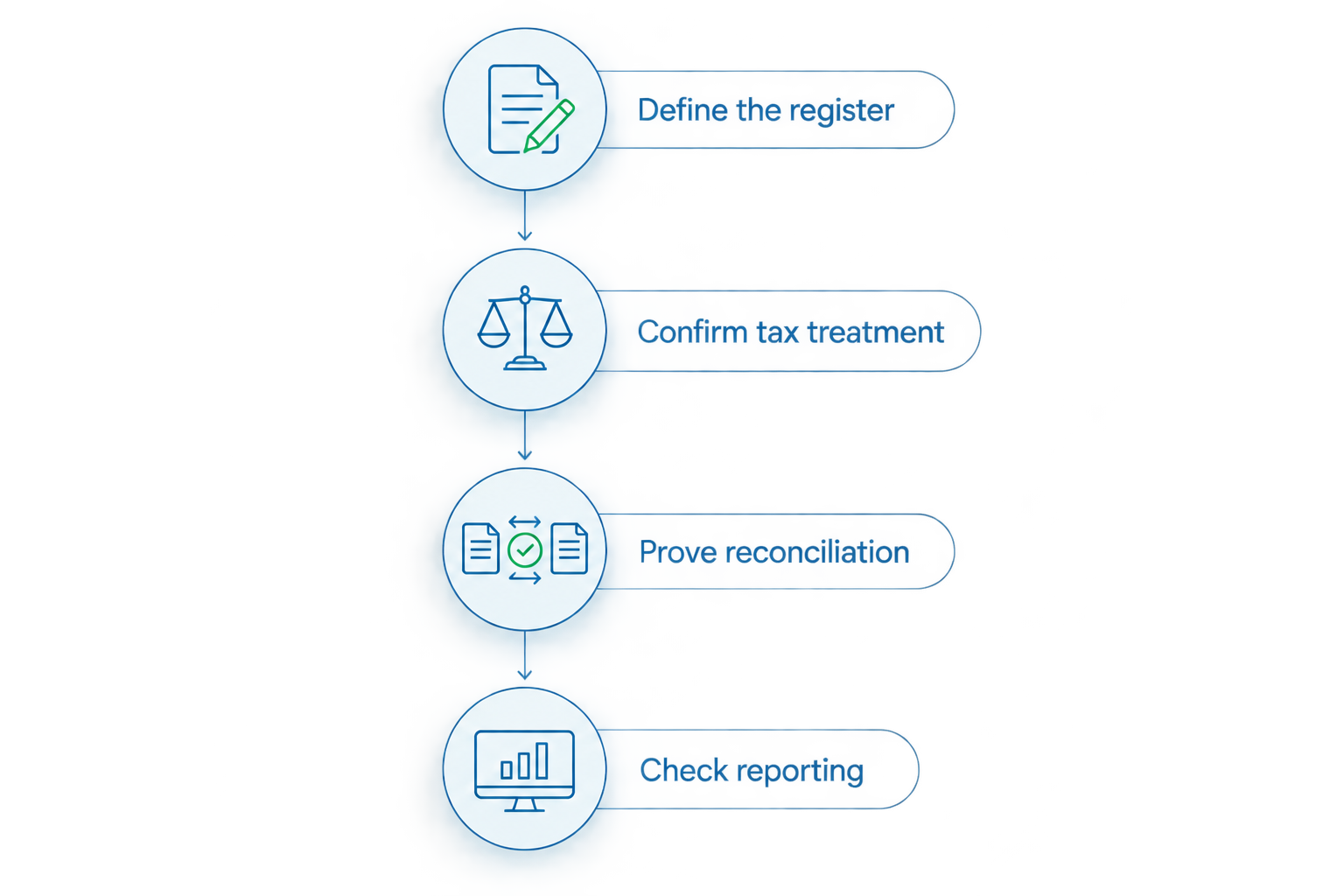
Use a 30-minute demonstration built around your own records, not a supplier's clean sample company. Bring 3 sample assets: an ordinary depreciating asset, an asset with different accounting and tax treatment, and an asset sold during the reporting period.
01. Define the register
List the entities, asset classes, locations and responsible people you need to record. Separate financial reporting requirements from equipment tracking so the demonstration answers both questions explicitly.
02. Confirm tax treatment
Ask your accountant to specify the required Australian tax treatment before the demonstration. Where relevant, distinguish ordinary depreciation from pools, concessions and adjustments; do not select a tax method merely because it appears in a menu.
03. Prove reconciliation
Trace opening balances, additions, depreciation and disposals into the general ledger. Require an explanation for every difference, including accumulated depreciation imported from an earlier register.
04. Check reporting
Request a 12-month depreciation forecast and a register export that another accountant can interpret. Check whether the output shows enough detail to support financial reporting, review and a future migration.
Which fixed asset management software should you choose?
Choose Xero Fixed Assets first if your business already uses Xero and needs a straightforward accounting register. Move AssetAccountant to the front when separate depreciation workflows are central, and Asset.Guru when physical accountability is the main gap.
For organisations already operating Microsoft Dynamics 365 Finance or SAP S/4HANA, assess the existing platform's fixed asset functionality before introducing another system. The decision should account for configuration, migration, controls and ongoing reconciliation—not just the register screen.
Before signing anything in 2026, write down which system owns each asset record and who approves changes. Daintree Consulting's accounting and advisory services sit alongside the software decision; the business still needs clear accounting policies and reliable records.
Discuss your accounting requirements
Discuss the accounting and advisory support your business needs alongside its software.
FAQ
What's the best fixed asset management software in Australia?
Xero Fixed Assets is the starting recommendation for a business already using Xero with straightforward accounting requirements. AssetAccountant suits dedicated depreciation accounting, while Asset.Guru suits physical asset tracking. Enterprise organisations should assess their existing finance platform first.
Is Xero enough for a fixed asset register?
Xero is enough when its fixed asset accounting functions meet your register and reporting requirements. Check Australian tax calculations and physical tracking separately rather than assuming an accounting register covers both.
Is AssetAccountant better than Asset.Guru?
AssetAccountant is the stronger shortlist fit for dedicated depreciation accounting; Asset.Guru is the stronger shortlist fit for physical asset visibility. Choose according to the problem your business needs to solve, then demonstrate the accounting and tracking requirements.
Does fixed asset software calculate Australian tax depreciation automatically?
Automatic calculation depends on the software, configuration and applicable tax treatment. Your accountant should confirm the rules and inputs before you rely on the output for a tax return.
Can I keep using a spreadsheet for fixed assets?
Yes, a spreadsheet can remain suitable when you can maintain, review and reconcile it reliably. Consider dedicated software when changes become difficult to trace, accounting and tax schedules diverge, or multiple people need controlled access.
What should I check when moving an asset register?
Reconcile asset cost, accumulated depreciation and carrying amounts before and after migration. Preserve acquisition dates, depreciation settings, disposal history and supporting records so the new register remains explainable.
Does every business need equipment tracking as well as depreciation software?
No, physical tracking is a separate operational requirement. Prioritise it when you need reliable location, custody or stocktake records; prioritise depreciation accounting when financial reporting is the main concern.
One last thing
A better register cannot correct an incorrect decision about what belongs in it. Before importing assets, review whether expenditure should be capitalised, whether disposed items remain listed and whether useful lives still reflect expected use.
For a 2026 review, start with those decisions before comparing dashboards. Daintree Consulting provides accounting and advisory support; whichever software you choose, keep the accounting judgement separate from the calculation engine.
Related guides
Talk to Daintree about your accounting
Our ex-Big 4 team gives clear, senior-reviewed advice so you can act with confidence.
Book a free consultation →
Or explore our accounting services.
